Worksheet type
Dotted Letter Tracing Worksheets
Turn any letters, words, or names into dotted tracing practice, in print or cursive, on handwriting guide lines.
Free printable PDF
Download this sheet as shown and print it at home or school. No account needed.
Want your own words? Customizing and previewing are free; printing and downloading your custom sheets come with Pro. See plans
- Template
- Trace and Copy
- Font
- Delius
- Guide lines
- Three-line
- Paper
- US Letter or A4
About this worksheet
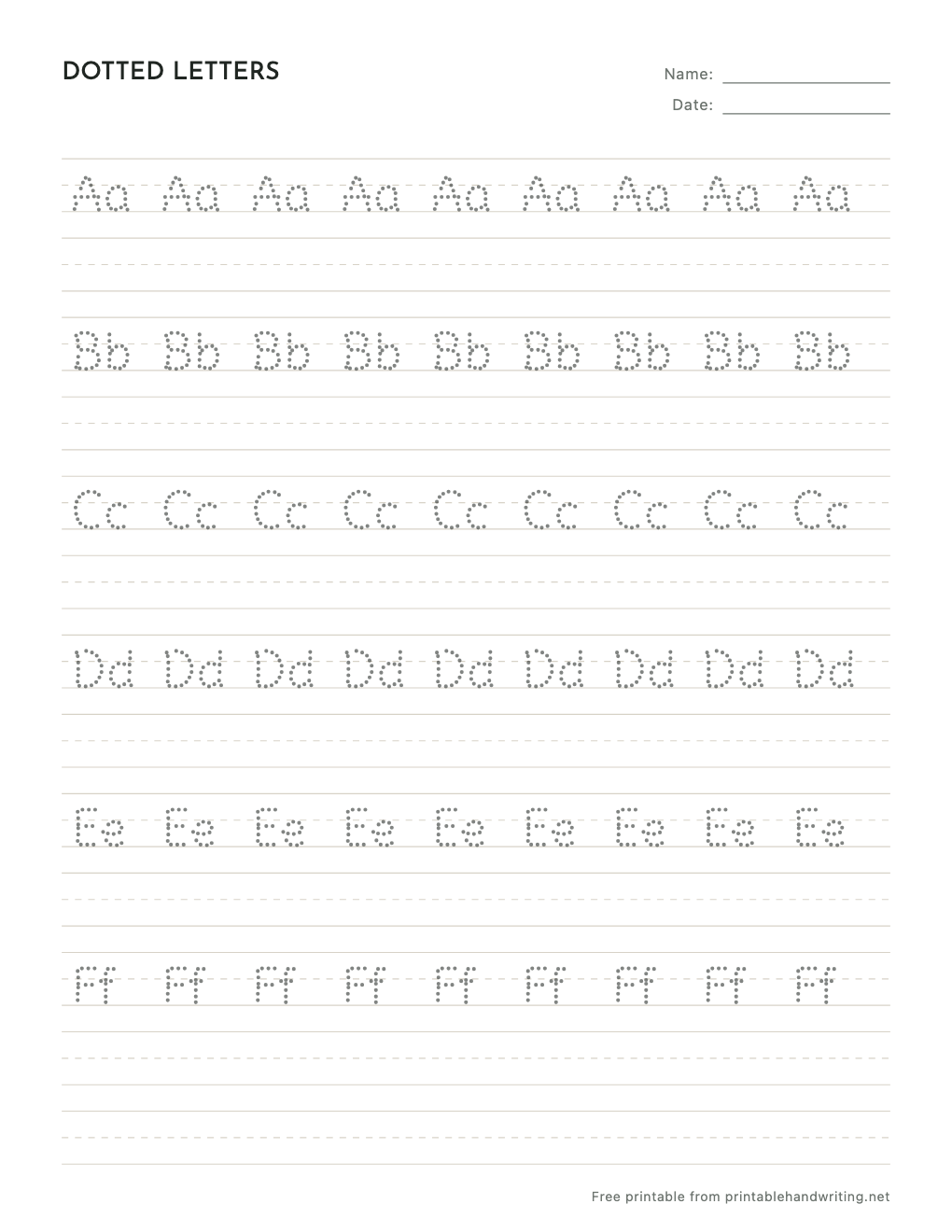
Dotted letters give beginners a path to follow without hiding the shape: the dots sit on the middle of each stroke, so a pencil that joins them draws the letter the way it is written. The sample sheet repeats the first six letters of the alphabet in upper and lower case across each line, with a blank row after every traced line to try the letter alone.
Type your own letters, sight words, or a name and they turn into dotted tracing on the same guides. Choose print or cursive fonts, make the dots darker or lighter, switch to dashed or outline letters, and set the letter size and line height for little hands.
- 01
Dots along each stroke
Dots follow the center of every stroke, so joining them forms the letter instead of tracing around it.
- 02
Print or cursive
Every handwriting font works dotted, including joined cursive where the dots run through the connections.
- 03
Your own letters and words
Type any letters, words, or names; the editor lays them out as dotted rows with blank lines to copy.
Questions
- Are the dotted letter worksheets free?
- Yes. The sample sheet on this page is a free PDF in US Letter or A4, no account needed. Making and previewing your own dotted sheets is free too; printing and downloading custom sheets come with Pro, which also removes the preview watermark.
- Can I make dotted cursive letters?
- Yes. Switch the font style to cursive and the dots follow the joined strokes, so students trace the connections between letters as well as the letters themselves.
- Can I make the dots darker or lighter?
- Yes. The trace strength slider sets how dark the dots print. You can also switch to solid gray, dashed, or outline letters.
- Is there a dotted font I need to install?
- No. The dotted letters are drawn by the editor from its handwriting fonts, so nothing needs installing and the sheet prints the same on any computer.